Image adjustment lab
Hue/saturation, brightness/contrast, and curves on a selected image.
Select a picture on the canvas (or a rasterized image), then the toolbar three colored bars, or Image adjustment lab in the menu.

Three tabs:
| Tab | Role |
|---|---|
| Hue / Saturation | Hue, saturation, lightness sliders; optional preset |
| Brightness / Contrast | Overall light and contrast |
| Curves | Per-channel curves |
The canvas previews as you drag. OK commits this image; Cancel drops the session.
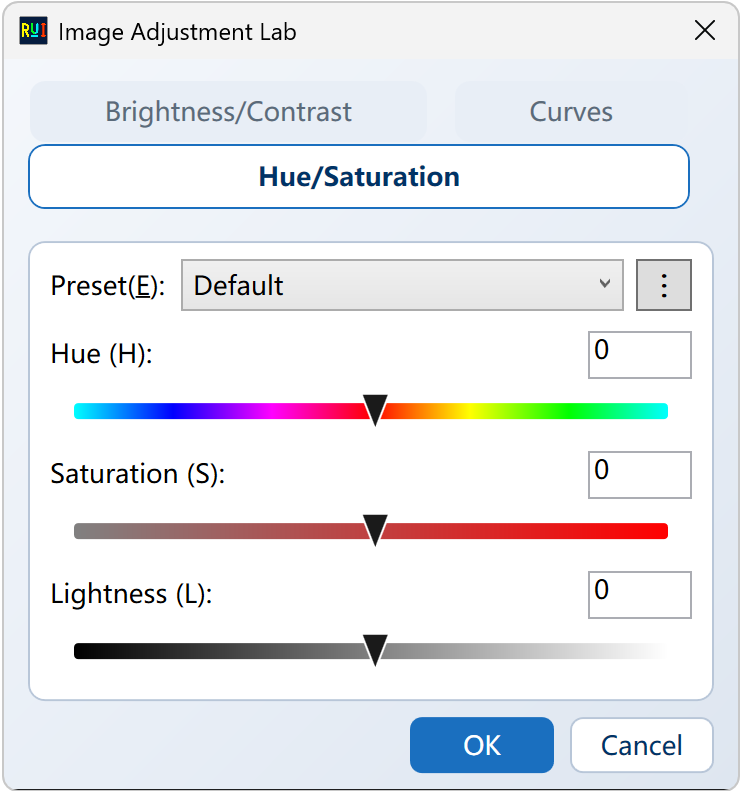
Use it to recolor a background or button skin without Photoshop. Vector shapes: rasterize first, or change the fill color.
Then save / pack / export as usual.