
Export code
All pages → RuiBuilder.c / .h, UIMap, protocol header, and touch callbacks; append or replace the callback file.
Menu or toolbar Export code. It collects elements from every page, not only the one you are editing. Pick a folder first, then wait for merge and generation. 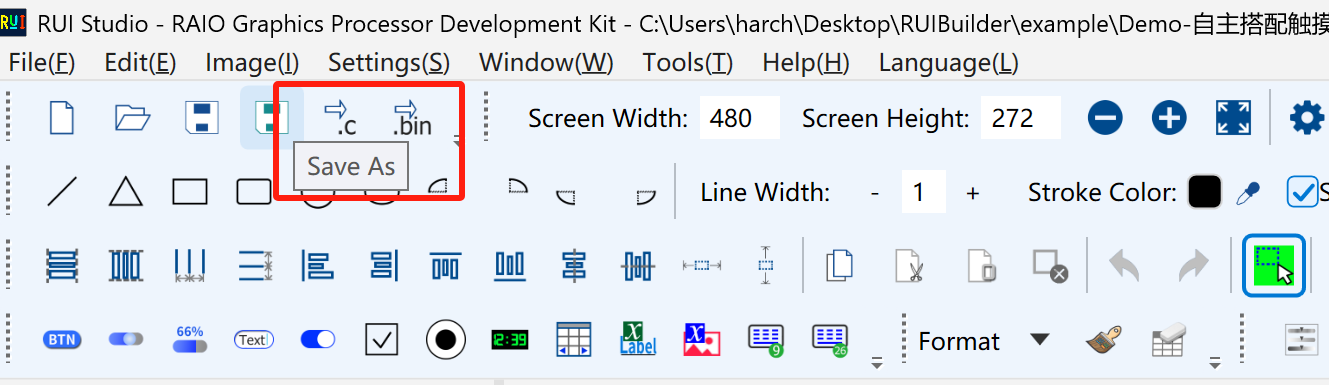
What you get
| File | Role |
|---|---|
RuiBuilder.h / RuiBuilder.c | Page_Render_, Page_Show_ per page; RuiBuilder_Init() |
RuiBuilder_UIMap.* | Object table, variable defaults, refresh. Emitted when you have touch areas, buttons, sliders, and similar |
RuiBuilder_TouchCallbacks.c | When you have a callback table; bodies come from Callback design |
rui_protocol_config.h | Current HMI protocol for panel hmi_uart/ |
dwin_var.h / dwin_table.c | For the product host MCU, not the panel. See HMI UART |
Projects with text use UTF-8 (no BOM); otherwise the files may be GB2312. Copy them into Keil. Call RuiBuilder_Init() after RA8889_Initial() and before the first screen, then build.
How callback overwrite is chosen
If the folder already has RuiBuilder.h / .c, you get overwrite yes/no.
If the project has callbacks, the same dialog footer has two radios (append is the default):
| Choice | UI text | Result |
|---|---|---|
| Append (recommended) | Append callbacks to RuiBuilder_TouchCallbacks.c | Adds new callbacks and syncs functions that have non-empty implementation code. Hand-edited old functions usually stay |
| Replace whole file | Overwrite RuiBuilder_TouchCallbacks.c | Rewrites the entire TouchCallbacks.c. Red warning: back up written callback code first |
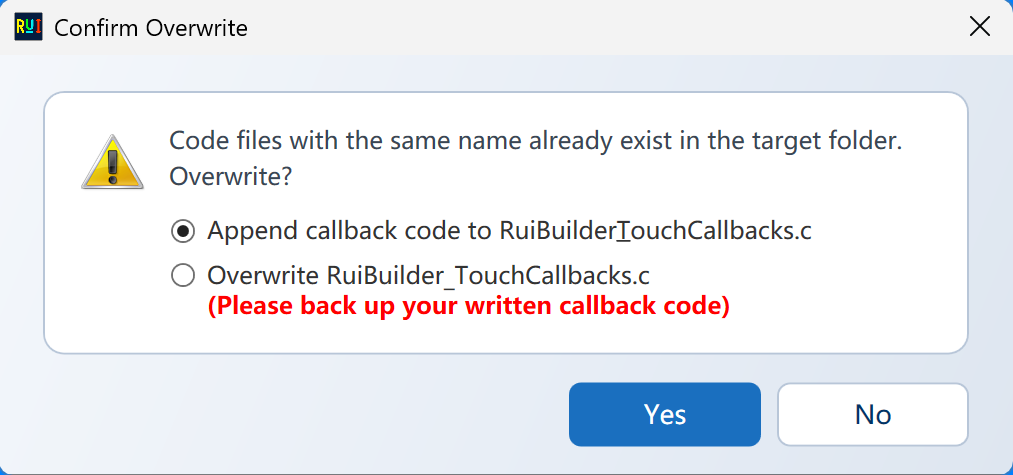
Other .h/.c files follow Yes/No. TouchCallbacks.c follows only the radio.
Red / blue after success
The success dialog marks which path ran:
- Appended
- Overwritten
- First export (no callback file yet, so no overwrite prompt)
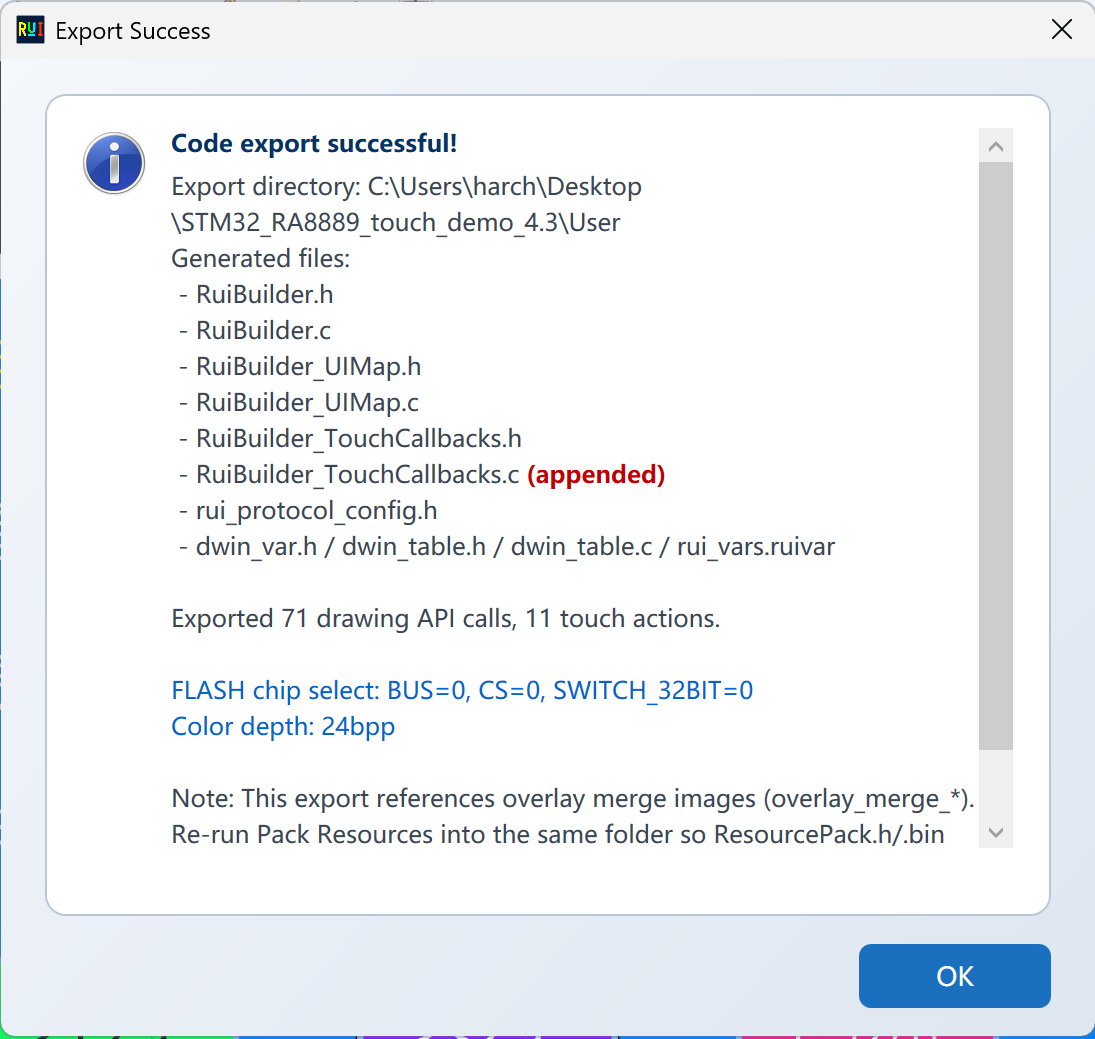
Day-to-day UI tweaks: keep Append. Use replace only when you intend to throw away every hand-written body in that file.
See Callback design for the editor and presets.